发布我的图片预加载控件YPreLoadImg v1.0 | 杨元超的世界
介绍
大家好!很高兴向大家介绍我的图片预加载控件YPreLoadImg。它可以帮助您预加载图片,并且能显示加载的进度,在预加载完成后调用指定的方法。
YPreLoadImg控件由一个名为PreLoadImg的类组成。该类的构造函数为:PreLoadImg(images, onstep, onload)
依赖库
用法
new PreLoadImg(
 /**
 * 图片数据
 * id为图片id号,url为图片地址
 */
 [
 { id: "a1", url: "a1.png" },
 { id: "a2", url: "a2.png" }
 ],
 /**
 * 获得加载进度
 * @param currentLoad 已加载的图片数量
 * @param imgCount 图片总数
 */
 function (currentLoad, imgCount) {
 },
 /**
 * 加载完成后调用
 */
 function () {
 }
);
代码
var PreLoadImg = YYC.Class({
 Init: function (images, onstep, onload) {
 this._checkImages(images);

 this.config = {
 images: images || [],
 onstep: onstep || function () {},
 onload: onload || function () {}
 };
 this._imgs = {};
 this.imgCount = this.config.images.length;
 this.currentLoad = 0;
 this.timerID = 0;

 this.loadImg();
 },
 Private: {
 _imgs: {},

 _checkImages: function (images) {
 var i = null;

 for (var i in images) {
 if (images.hasOwnProperty(i)) {
 if (images[i].id === undefined || images[i].url === undefined) {
 throw new Error("应该包含id和url属性");
 }
 }
 }
 },
 _bind: function (object, fun) {
 return function () {
 return fun.apply(object, arguments);
 };
 }
 },
 Public: {
 imgCount: 0,
 currentLoad: 0,
 timerID: 0,

 /**
 * 通过图片id号来获得图片对象
 * @param id 图片id号
 * @returns {*} 图片对象
 */
 get: function (id) {
 return this._imgs[id];
 },
 loadImg: function () {
 var c = this.config,
 img = null,
 i,
 self = this,
 image = null;

 for (i = 0; i < c.images.length; i++) {
 img = c.images[i];
 image = this._imgs[img.id] = new Image();
 image.onload = function () {
 this.onload = null;
 self._bind(self, self.onload)();
 };
 image.src = img.url;

 this.timerID = (function (i) {
 return setTimeout(function () {
 if (i == self.currentLoad) {
 image.src = img.url;
 }
 }, 500);
 })(i);
 }
 },
 onload: function (i) {
 clearTimeout(this.timerID);
 this.currentLoad++;
 this.config.onstep(this.currentLoad, this.imgCount);
 if (this.currentLoad === this.imgCount) {
 this.config.onload(this.currentLoad);
 }
 },
 dispose: function () {
 var i,
 _imgs = this._imgs;

 for (i in _imgs) {
 _imgs[i].onload = null;
 _imgs[i] = null;
 }
 this.config = null;
 }
 }
});
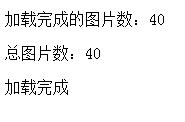
效果演示
下载