WebGPU学习(九):学习“fractalCube”示例 | 杨元超的世界
大家好,本文学习Chrome->webgpu-samplers->fractalCube示例。
上一篇博文:
WebGPU学习(八):学习“texturedCube”示例
下一篇博文:
学习fractalCube.ts
最终渲染结果:
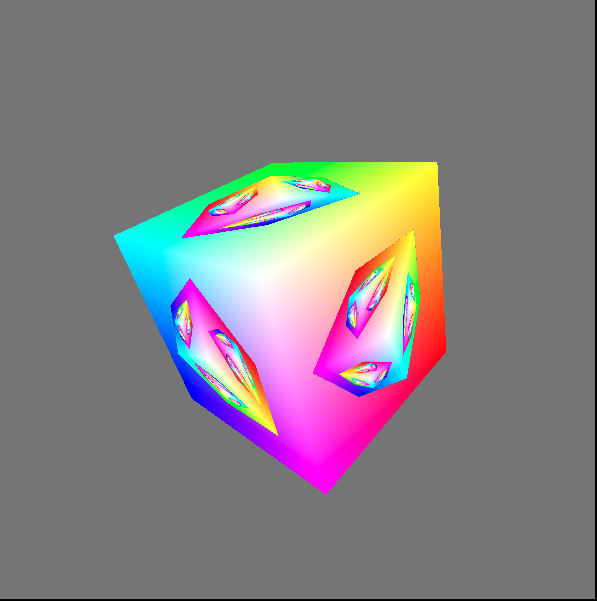
该示例展示了如何用上一帧渲染的结果作为下一帧的纹理。
与“texturedCube”示例相比,该示例的纹理并不是来自图片,而是来自上一帧渲染的结果
下面,我们打开fractalCube.ts文件,分析相关代码:
传输顶点的color
它与“texturedCube”示例->“传递顶点的uv数据”类似,这里不再分析
上一帧渲染的结果作为下一帧的纹理
- 配置swapChain
因为swapChain保存了上一帧渲染的结果,所以将其作为下一帧纹理的source。因此它的usage需要增加GPUTextureUsage.COPY_SRC:
 const swapChain = context.configureSwapChain({
 device,
 format: "bgra8unorm",
 usage: GPUTextureUsage.OUTPUT_ATTACHMENT | GPUTextureUsage.COPY_SRC,
 });
- 创建空纹理(cubeTexture)和sampler,设置到uniform bind group中
相关代码如下:
 const fragmentShaderGLSL = `#version 450
 ...
 layout(set = 0, binding = 2) uniform texture2D myTexture;
 ...

 void main() {
 vec4 texColor = texture(sampler2D(myTexture, mySampler), fragUV * 0.8 + 0.1);

 ...

 outColor = mix(texColor, fragColor, f);
 }`;

 ...

 const cubeTexture = device.createTexture({
 size: { width: canvas.width, height: canvas.height, depth: 1 },
 format: "bgra8unorm",
 usage: GPUTextureUsage.COPY_DST | GPUTextureUsage.SAMPLED,
 });

 const sampler = device.createSampler({
 magFilter: "linear",
 minFilter: "linear",
 });

 const uniformBindGroup = device.createBindGroup({
 layout: bindGroupLayout,
 bindings: [
 ...
 {
 binding: 1,
 resource: sampler,
 }, {
 binding: 2,
 //传递cubeTexture到fragment shader中
 resource: cubeTexture.createView(),
 }],
 });
- 绘制和拷贝
在每一帧中:
绘制带纹理的立方体;
将渲染结果(swapChainTexture)拷贝到cubeTexture中。
相关代码如下:
 return function frame() {
 const swapChainTexture = swapChain.getCurrentTexture();

 renderPassDescriptor.colorAttachments[0].attachment = swapChainTexture.createView();

 const commandEncoder = device.createCommandEncoder({});
 const passEncoder = commandEncoder.beginRenderPass(renderPassDescriptor);
 ...
 passEncoder.setBindGroup(0, uniformBindGroup);
 ...
 passEncoder.draw(36, 1, 0, 0);
 passEncoder.endPass();

 commandEncoder.copyTextureToTexture({
 texture: swapChainTexture,
 }, {
 texture: cubeTexture,
 }, {
 width: canvas.width,
 height: canvas.height,
 depth: 1,
 });

 device.defaultQueue.submit([commandEncoder.finish()]);

 ...

 }
分析shader代码
本示例的vertex shader与“texturedCube”示例的vertex shader相比,增加了color attribute:
 const vertexShaderGLSL = `#version 450
 ...
 layout(location = 1) in vec4 color;
 ...

 layout(location = 0) out vec4 fragColor;
 ...

 void main() {
 ...
 fragColor = color;
 ...
 }`;
fragment shader的代码如下:
 const fragmentShaderGLSL = `#version 450
 layout(set = 0, binding = 1) uniform sampler mySampler;
 layout(set = 0, binding = 2) uniform texture2D myTexture;

 layout(location = 0) in vec4 fragColor;
 layout(location = 1) in vec2 fragUV;
 layout(location = 0) out vec4 outColor;

 void main() {
 vec4 texColor = texture(sampler2D(myTexture, mySampler), fragUV * 0.8 + 0.1);

 // 1.0 if we're sampling the background
 float f = float(length(texColor.rgb - vec3(0.5, 0.5, 0.5)) < 0.01);

 outColor = mix(texColor, fragColor, f);
 }`;
第10行对fragUV进行了处理,我们会在分析渲染时间线中分析它。
第13行和第15行相当于做了if判断:
if(纹理颜色 === 背景色){
 outColor = fragColor
}
else{
 outColor = 纹理颜色
}
这里之所以不用if判断而使用计算的方式,是为了减少条件判断,提高gpu的并行性
分析渲染时间线
下面分析下渲染的时间线:
第一帧
因为纹理为空纹理,它的颜色为背景色,所以fragment shader的outColor始终为fragColor,因此立方体的所有片段的颜色均为fragColor。
第一帧的渲染结果如下:
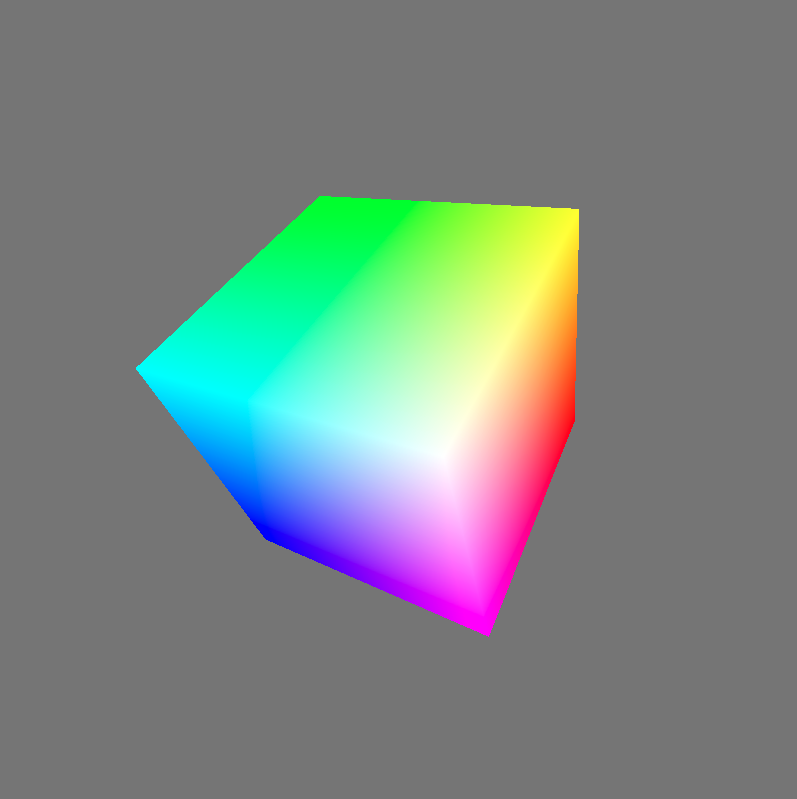
第一帧绘制结束后,渲染结果会被拷贝到cubeTexture中。
第二帧
分析执行的fragment shader代码:
 const fragmentShaderGLSL = `#version 450
 layout(set = 0, binding = 1) uniform sampler mySampler;
 layout(set = 0, binding = 2) uniform texture2D myTexture;

 layout(location = 0) in vec4 fragColor;
 layout(location = 1) in vec2 fragUV;
 layout(location = 0) out vec4 outColor;

 void main() {
 vec4 texColor = texture(sampler2D(myTexture, mySampler), fragUV * 0.8 + 0.1);

 // 1.0 if we're sampling the background
 float f = float(length(texColor.rgb - vec3(0.5, 0.5, 0.5)) < 0.01);

 outColor = mix(texColor, fragColor, f);
 }`;
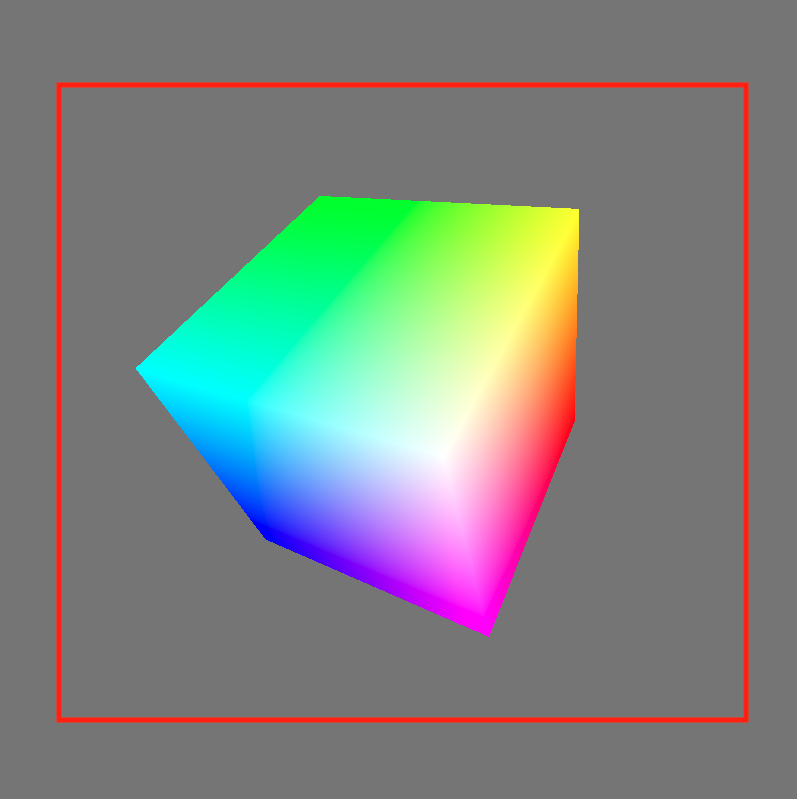
- 第10行的“fragUV * 0.8 + 0.1”是为了取纹理坐标u、v方向的[0.1-0.9]部分,从而使纹理中立方体所占比例更大。
得到的纹理区域如下图的红色区域所示:
- 第13行和第15行代码,将纹理中的背景色替换为了fragColor
第二帧的渲染结果如下:
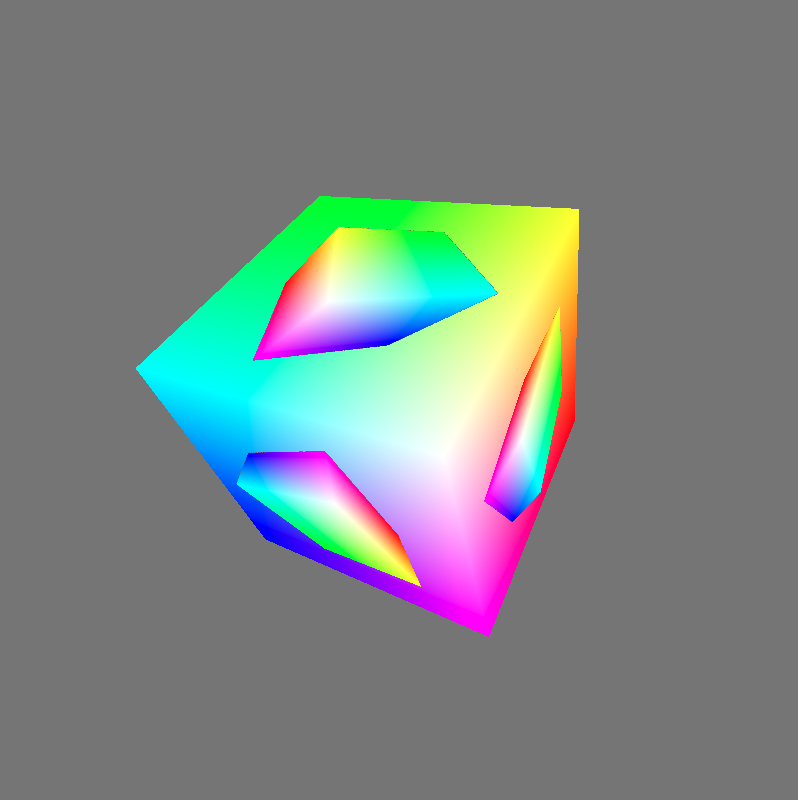
- 第三帧
依次类推,第三帧的渲染结果如下: